Project Reactor: A Practical Guide to Reactive Programming in Java
From backpressure to virtual threads, Mono/Flux, and the event loop — everything I learned building reactive payment systems at BBVA, with the mistakes corrected.
Project Reactor: A Practical Guide to Reactive Programming in Java
After spending years building cloud-native payment systems at BBVA using Spring WebFlux, I wrote down everything I learned about Project Reactor. This post is a refined version of those notes — with the misconceptions corrected.
What is Project Reactor?
Project Reactor is a reactive programming library for Java that serves as the foundation for Spring WebFlux. It enables non-blocking, asynchronous data processing using event-driven streams (Mono and Flux) with backpressure support.
The core problem it solves: in a traditional Spring MVC setup, each request occupies a thread until it completes. Under high load, you run out of threads. Reactor allows a small, fixed number of threads to handle thousands of concurrent requests by never blocking — threads move on to other work and get notified when results are ready.
The Problem with Blocking Code
A classic blocking endpoint looks like this:
@GetMapping("/users/{userId}")
public User getUserDetails(@PathVariable String userId) {
    User user = userService.getUser(userId);
    UserPreferences prefs = userPreferencesService.getPreferences(userId);
    user.setPreferences(prefs);
    return user;
}
The two service calls are unnecessarily sequential. While the first call is waiting for a response, the thread just sits idle:
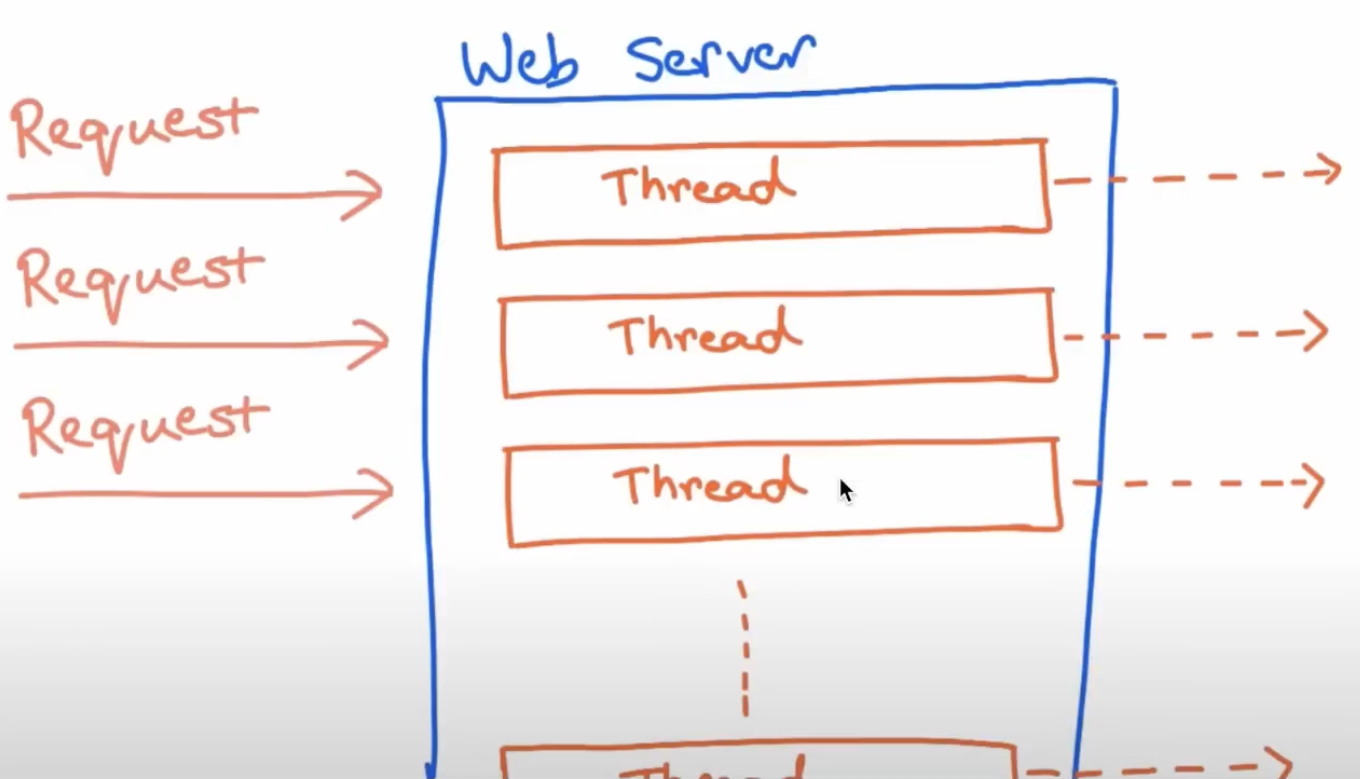
You could improve it with CompletableFuture, but that API has its own problems: join() is still blocking, error handling is messy, and you’re doing all the wiring manually.
The reactive solution:
@GetMapping("/users/{userId}")
public Mono<User> getUserDetails(@PathVariable String userId) {
    return userService.getUser(userId)
            .zipWith(userPreferencesService.getPreferences(userId))
            .map(tuple -> {
                User user = tuple.getT1();
                user.setPreferences(tuple.getT2());
                return user;
            });
}
Non-blocking, both calls run in parallel, and the pipeline is expressed declaratively.
What is Backpressure?
Backpressure is a flow-control mechanism that prevents a fast producer from overwhelming a slow consumer. The consumer signals how much data it can handle, and the producer respects that limit.
Think of it like a faucet adjusting water flow based on how fast you can fill your glass.
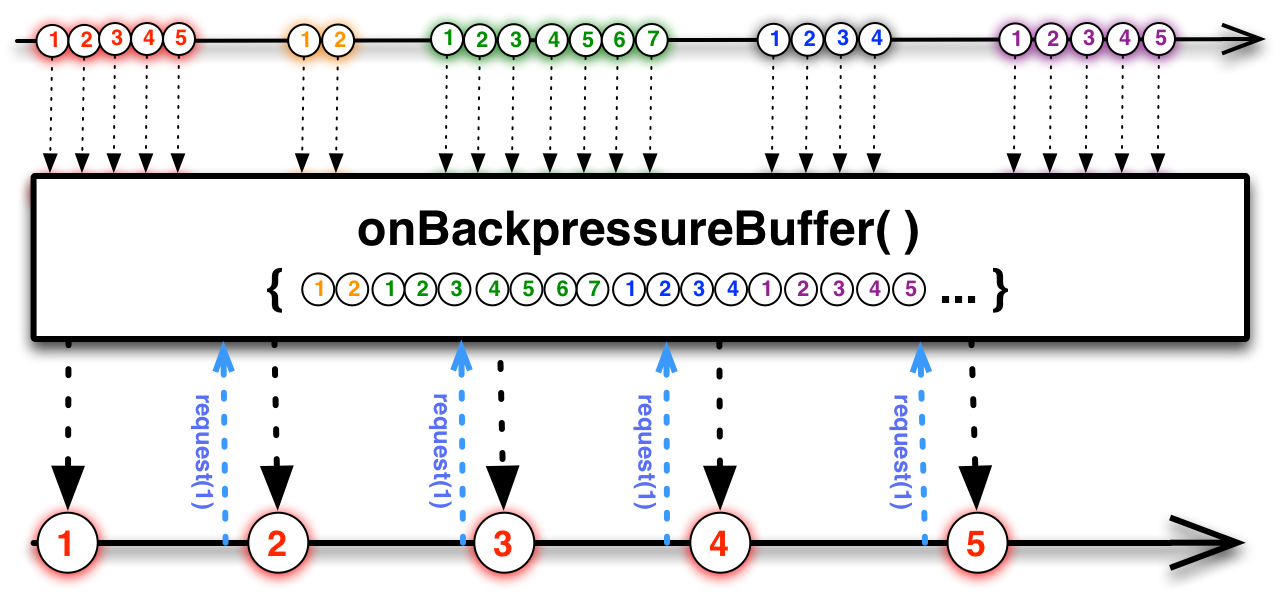
In practice: if you have a Flux emitting 10,000 events per second but your database can only handle 500 writes per second, backpressure avoids running out of memory. The subscriber requests only what it can process:
class MySubscriber<T> extends BaseSubscriber<T> {
    @Override
    public void hookOnSubscribe(Subscription subscription) {
        request(2); // only request 2 items at a time
    }

    @Override
    public void hookOnNext(T value) {
        System.out.println("Received: " + value);
        request(2); // request 2 more when done
    }
}
The Reactive Manifesto
Project Reactor is built around the Reactive Manifesto, which defines four pillars:
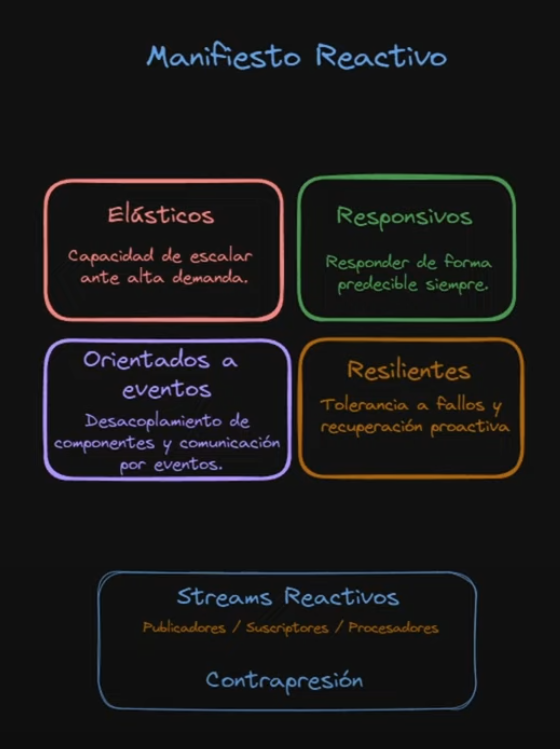
- Responsive — must respond predictably under all conditions
- Resilient — fault-tolerant, recovers proactively
- Elastic — scales up and down based on demand
- Message Driven — components communicate via asynchronous message passing with explicit addressing
Note: the fourth pillar is Message Driven, not “Event-driven”. Message-driven implies explicit recipients and location transparency. Event-driven is a broader concept that doesn’t carry the same guarantees.
The Event Loop Model
The fundamental mechanism behind Reactor and Netty (the default server for WebFlux):
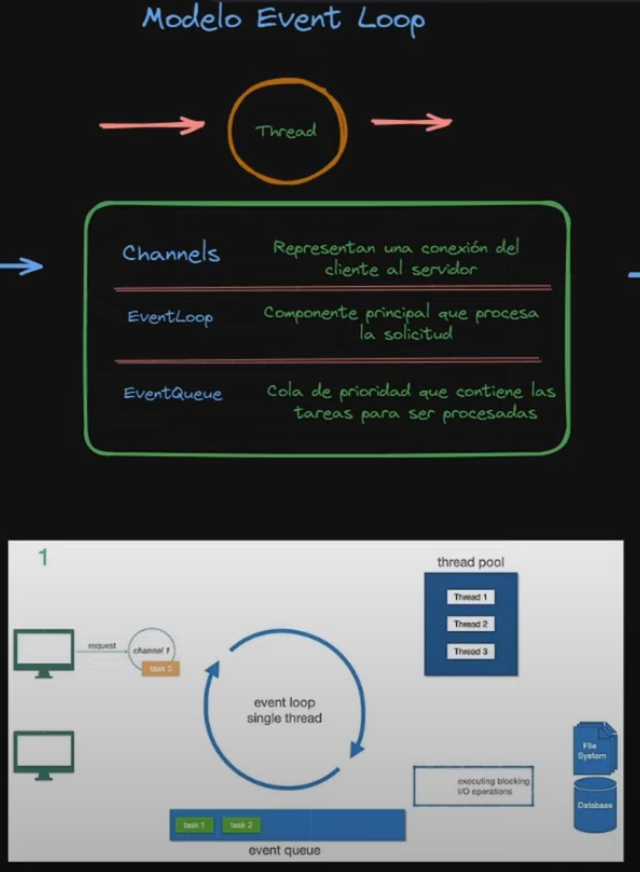
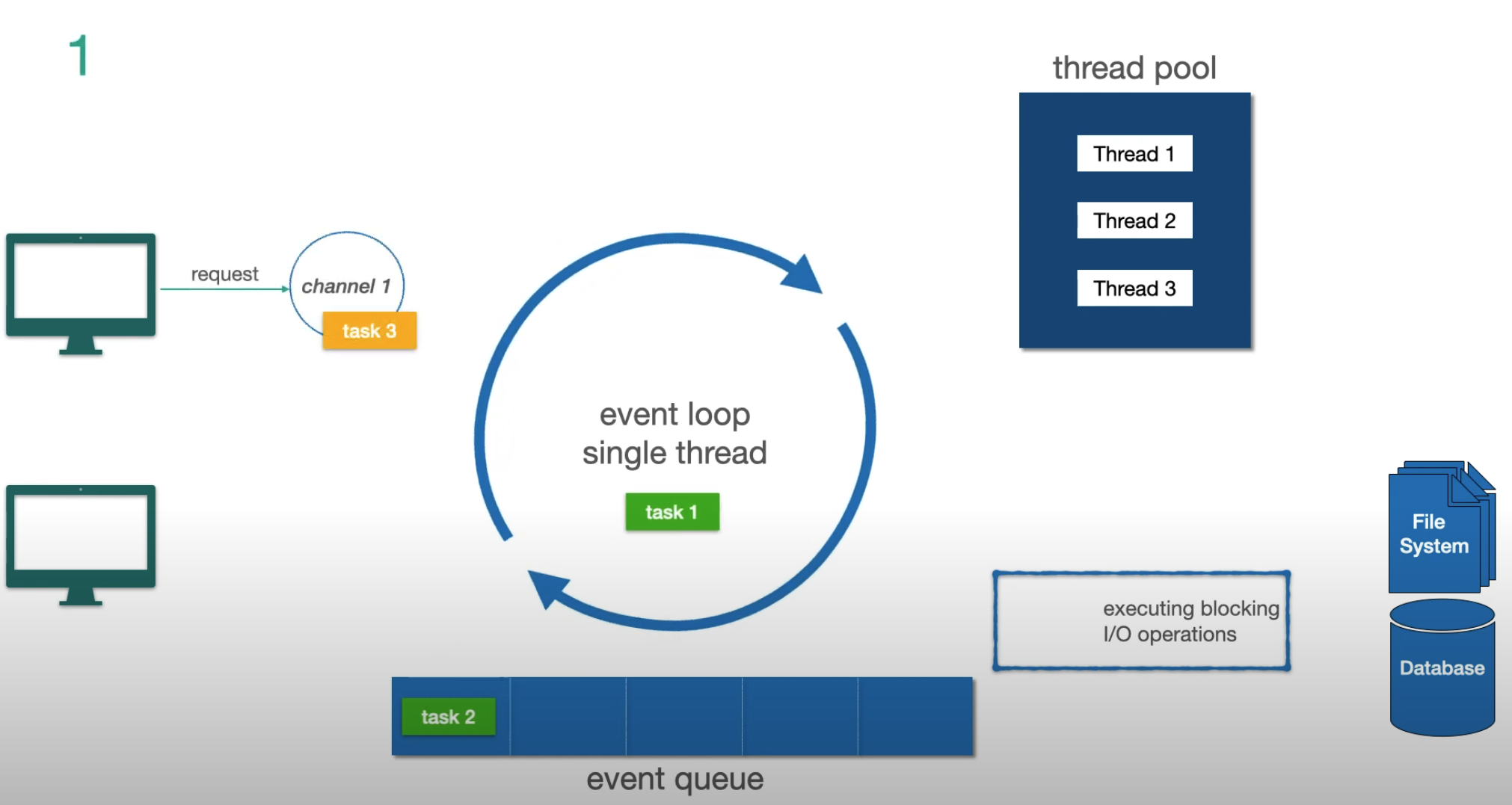
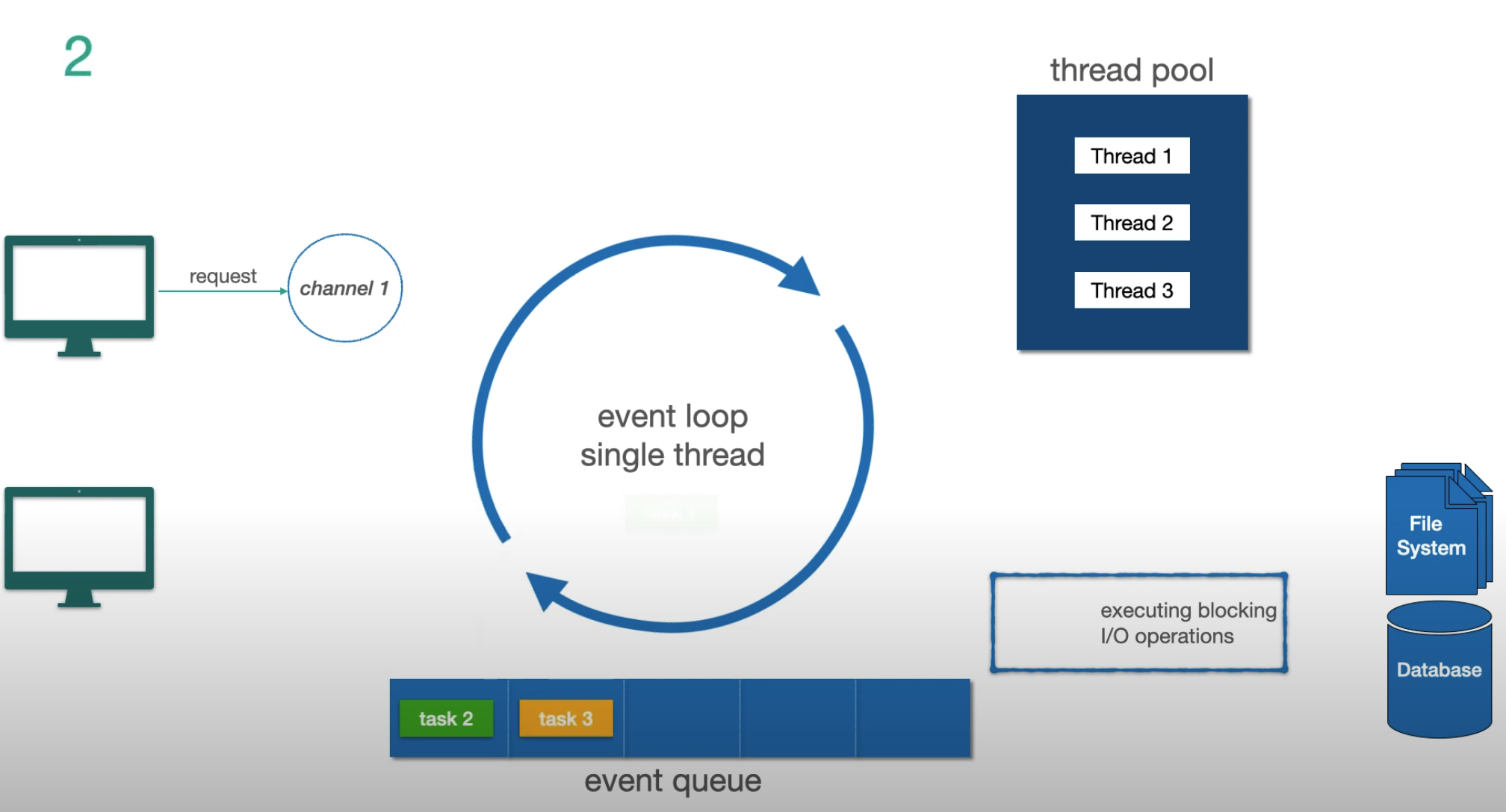
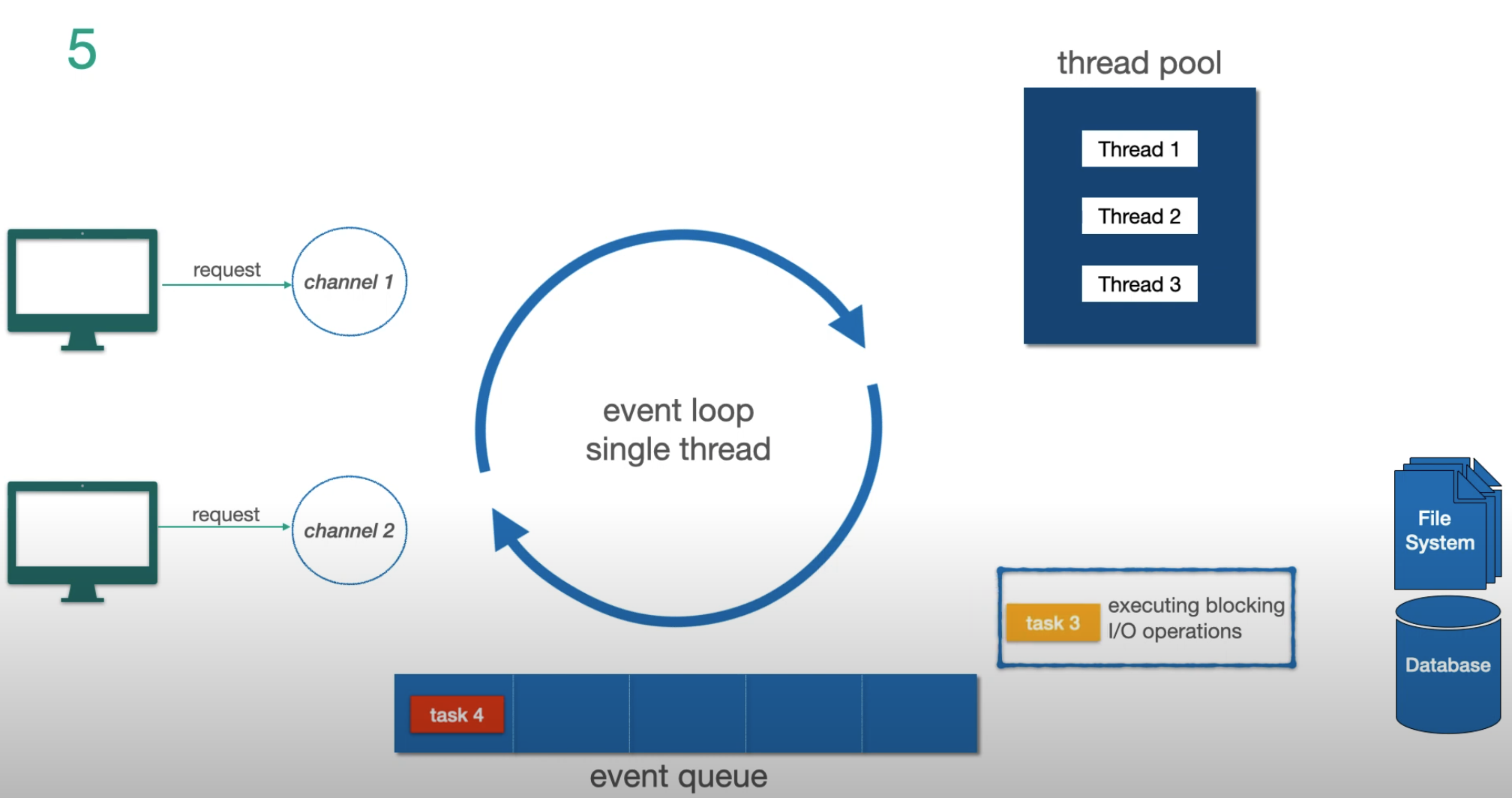
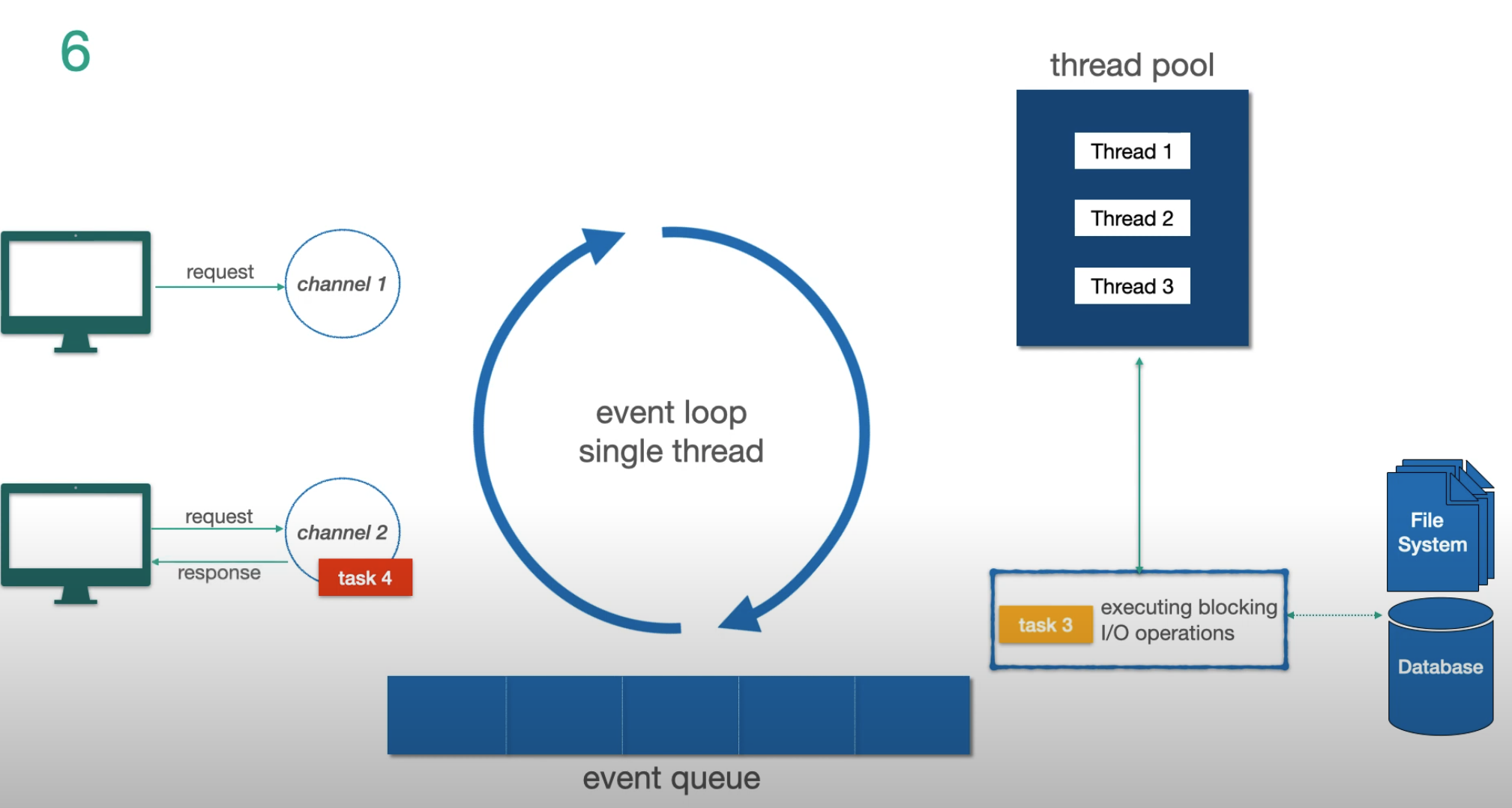
Three key concepts:
- Channel — represents a connection from client to server
- Event Loop — the single thread that processes tasks for that channel. One event loop per CPU core
- Event Queue — a FIFO task queue (not a priority queue) where pending tasks wait
The critical rule: the event loop never blocks. When it encounters a blocking I/O operation, it offloads it to a separate thread pool and immediately picks up the next task. When the I/O completes, the result comes back as a new event.
Let’s trace through an example step by step:
Step 1 — two non-I/O tasks in the queue, a new request arrives:
Step 2 — another request arrives, gets queued as task 4:
Step 3 — task 3 is detected as a blocking I/O operation, offloaded to the thread pool:
Step 4 — while task 3 runs in the thread pool, the event loop responds to task 4:
Step 5 — task 3 I/O completes, result is pushed back to the event loop to finish:
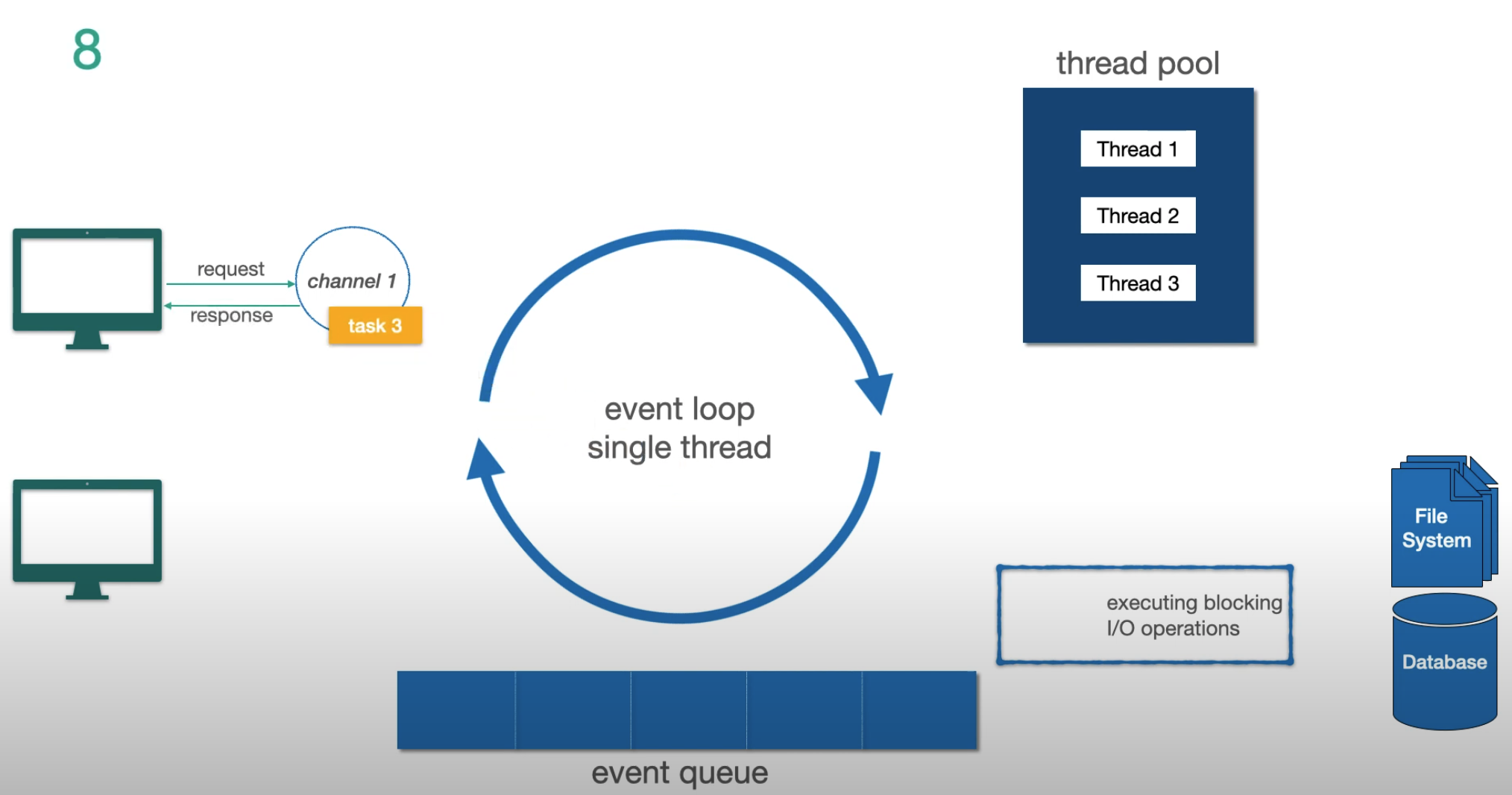
Key takeaways:
- The event loop never waits for I/O
- I/O operations go to the thread pool; non-I/O tasks run directly on the event loop
- In Netty, event loop threads appear as
reactor-http-nio-1,reactor-http-nio-2, etc.
How Spring WebFlux Uses This
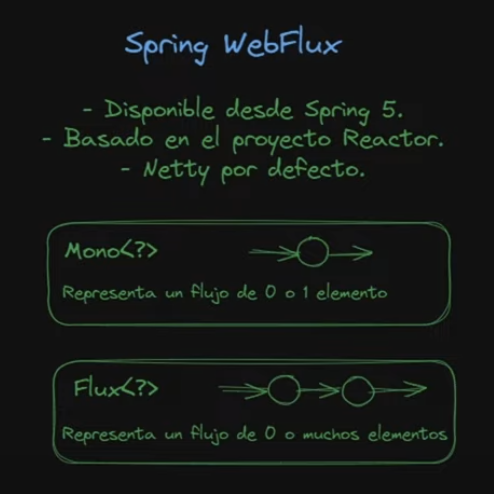
Spring WebFlux sits on top of Netty and Project Reactor. The Flux flows all the way from the data repository through the controller to the HTTP server, with non-blocking writes and backpressure back to the socket.
Mono and Flux — Reading Marble Diagrams
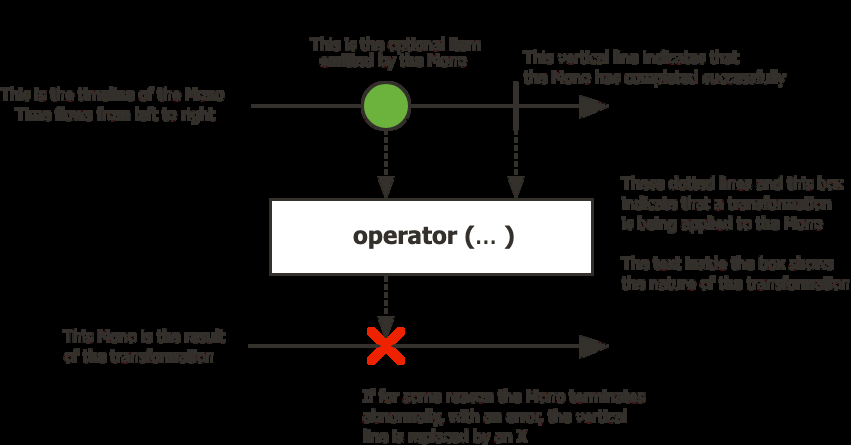
Mono<T> — a stream of 0 or 1 element:
Flux<T> — a stream of 0 to N elements:
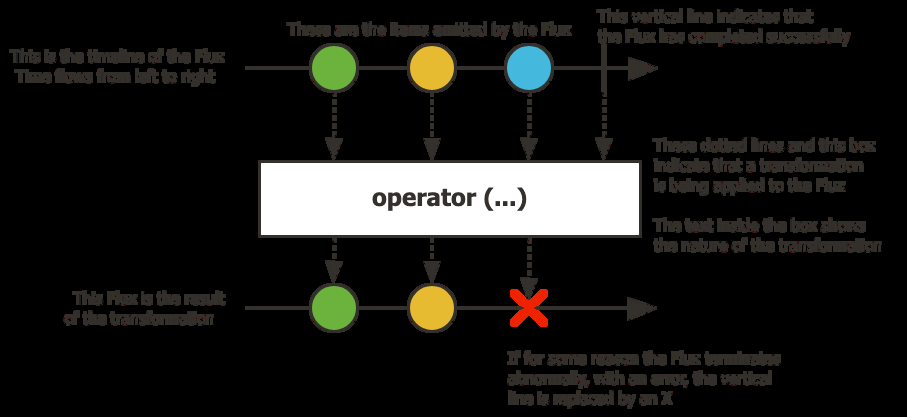
How to read them: time flows left to right. Each circle is an item. The vertical line is the completion signal. An X means error (terminal). The box in the middle is the operator being applied.
A Flux can emit:
- Any number of items (in the order they are produced)
- A complete event — terminal, nothing more will come after
- A failure event — terminal, nothing more will come after
Completion and failure are always the last signal. You will never receive an item after a terminal event.
Nothing Happens Until You Subscribe
A Mono or Flux is lazy — it describes a pipeline, but nothing executes until someone subscribes.
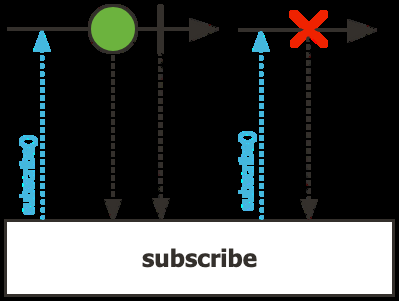
Disposable subscribe = ReactiveSources
        .intNumbersFlux()
        .subscribe(
                number -> System.out.println(number),
                err -> System.out.println(err),
                () -> System.out.println("Completed")
        );
subscribe() returns a Disposable — call dispose() to cancel. It is idempotent.
The Reactor API uses the Fluent Interface pattern — every operator returns a new Mono or Flux, so you chain them into a pipeline:
flux.filter(element -> element != null)
    .map(element -> element.toUpperCase())
    .flatMap(element -> externalService.enrich(element))
    .subscribe(element -> System.out.println(element));
Key operator distinctions:
map— synchronous, one-to-oneflatMap— asynchronous, non-deterministic order (useconcatMapto preserve order)doOnNext/doOnError— side-effect hooks, do not transform the stream
The Origins: Iterator + Observer
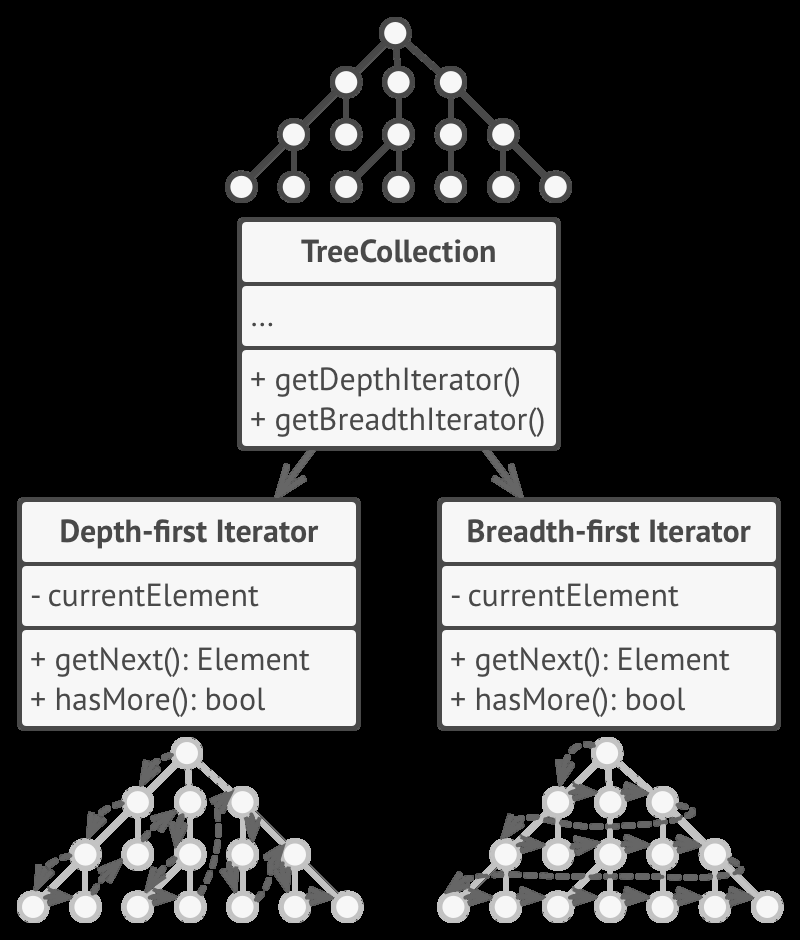
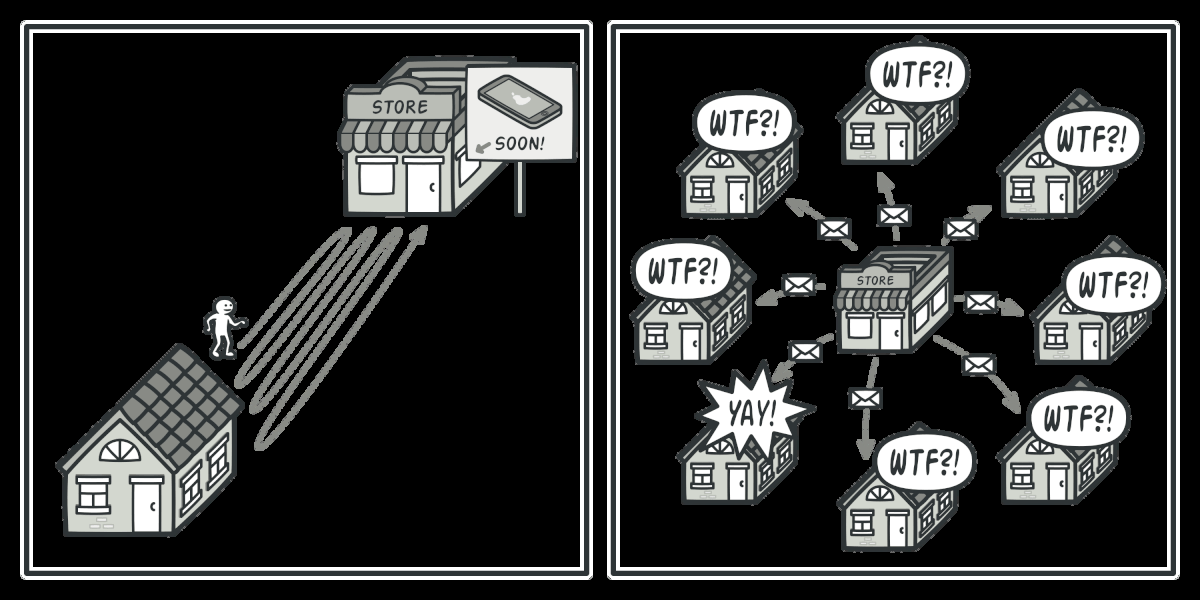
Reactive programming is the combination of two well-known design patterns.
Iterator — the consumer pulls data from a collection:
Observer — the producer pushes data to subscribers:
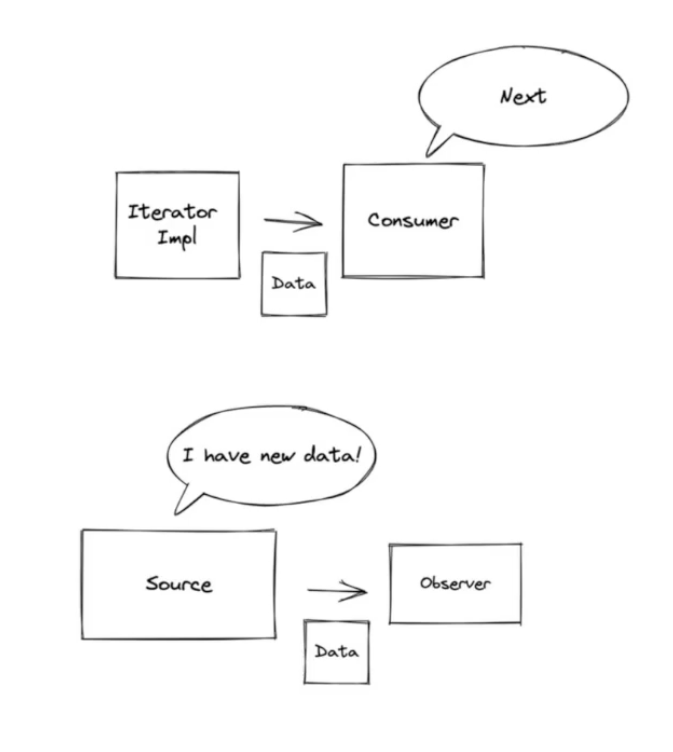
The connection between them:
// Iterator — you control when to pull
myList.forEach(element -> System.out.println(element));

// Observer — data is pushed when available
clicksChannel.addObserver(event -> System.out.println(event));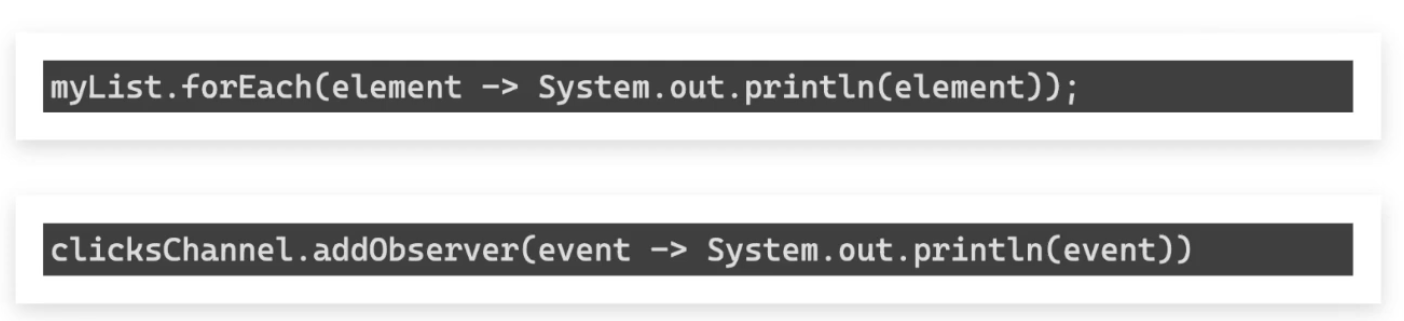
Reactive programming inverts the Iterator: instead of the consumer pulling, the producer pushes. Then it adds backpressure so the consumer can signal how much it can handle. This combination — plus the assembly-line composition of operators — is the “click” moment.
Reactor vs Virtual Threads
Java 21 introduced virtual threads (Project Loom) as an alternative.
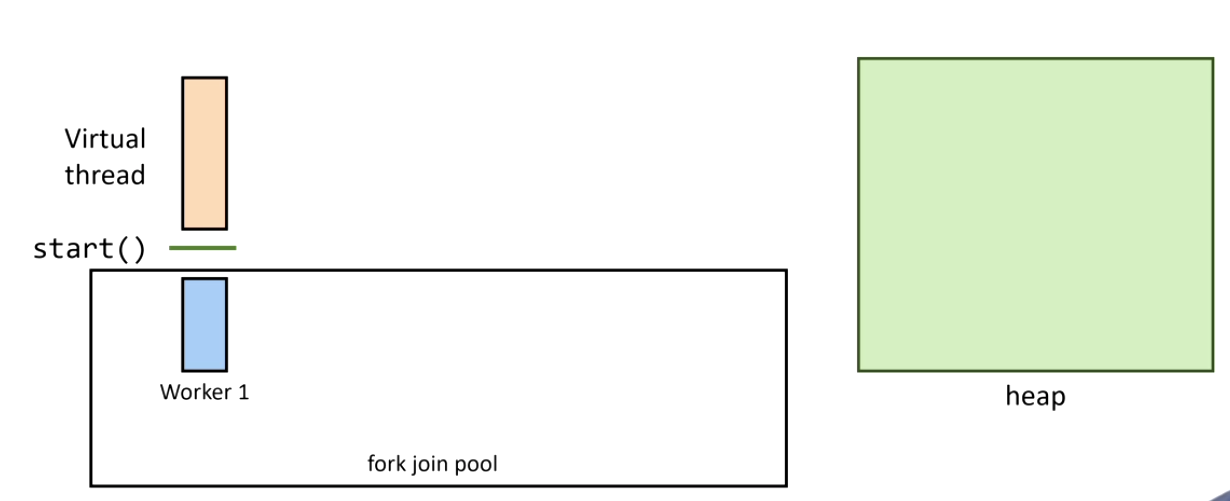
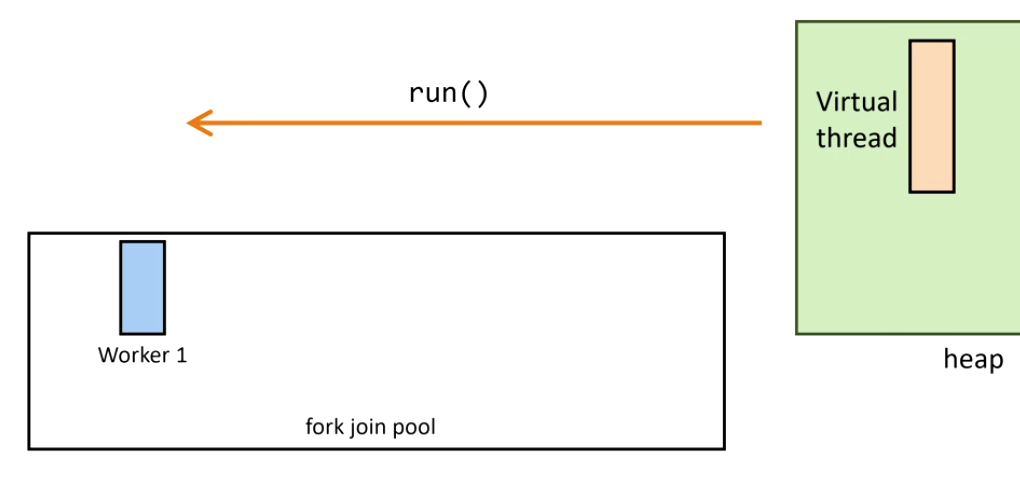
How virtual threads work:
1. Thread starts on a carrier thread:
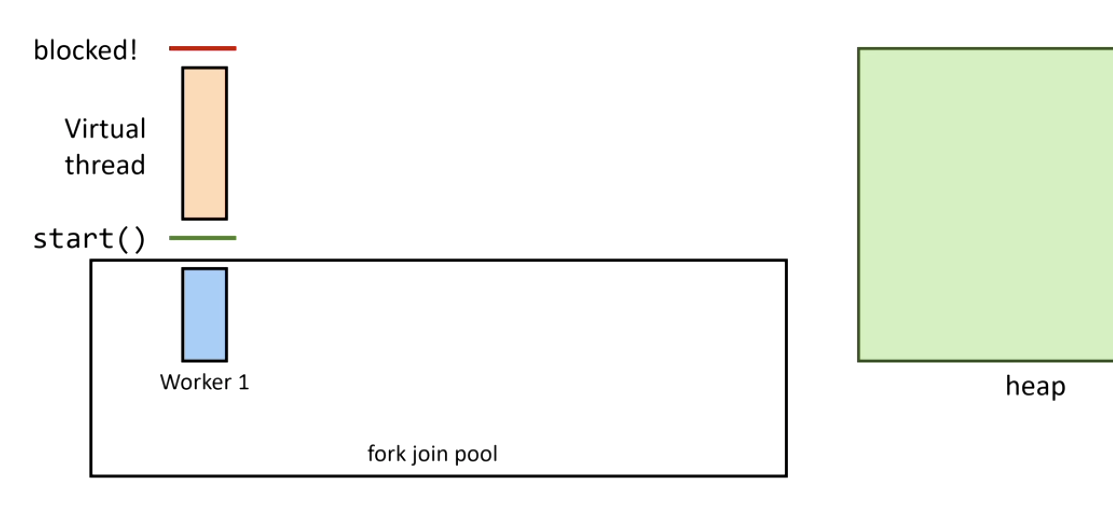
2. A blocking call is issued — Continuation.yield() is called:
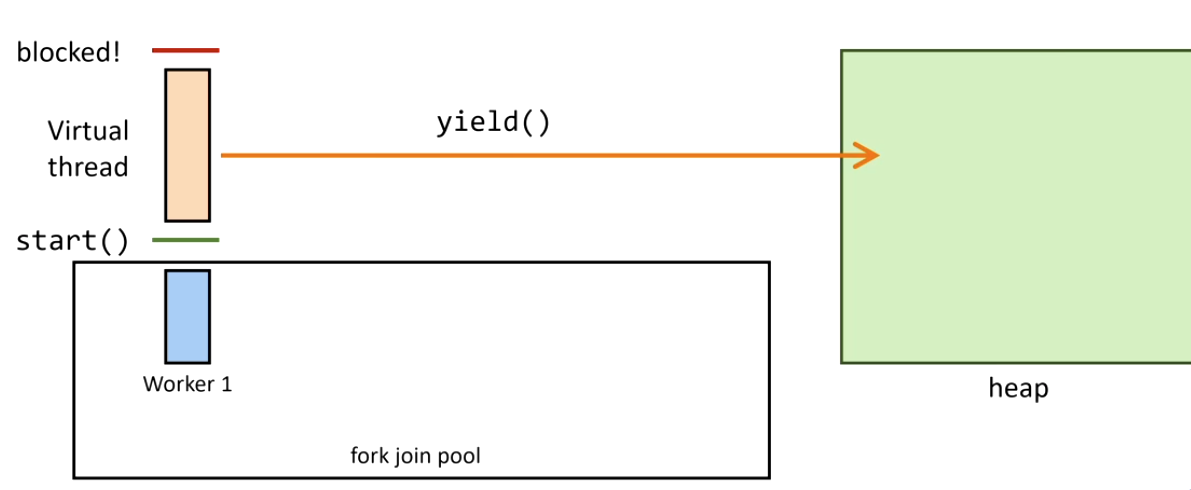
3. The virtual thread is unmounted and its stack is copied to heap:
4. The blocking operation completes — Continuation.run() remounts the virtual thread:
5. If the original carrier thread is busy, another steals the task (ForkJoinPool work stealing):
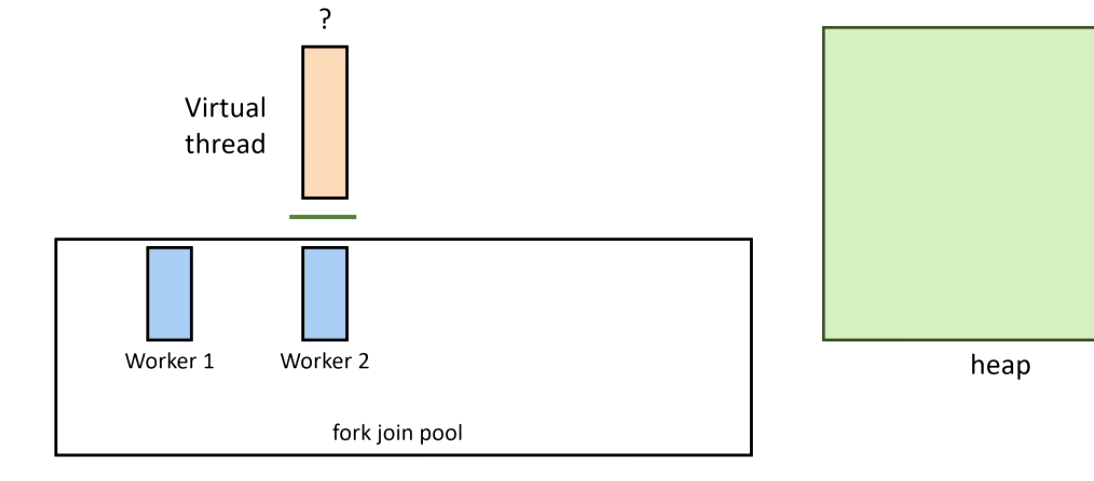
Important correction on creation cost: virtual threads are cheaper to create than platform threads, not more expensive. A platform thread maps to an OS thread with a fixed ~1MB stack — heavy system call. A virtual thread is a lightweight JVM object with a small dynamic stack on heap. You can create millions of them.
| Project Reactor | Virtual Threads | |
|---|---|---|
| Programming model | Functional pipeline | Imperative (looks like sync) |
| Learning curve | Steep | Low |
| Backpressure | Native | Manual |
| Best for | High-concurrency I/O, streaming | Simplifying blocking I/O code |
Use virtual threads for: wrapping existing blocking APIs more simply.
Use Reactor for: new high-throughput systems where backpressure and pipeline composition matter.
When to Go Reactive
Go reactive if:
- Your app is I/O-heavy (APIs, DB calls, streaming)
- You need native backpressure control
- You’re building a new service on Spring WebFlux from scratch
Be cautious if:
- CPU-bound tasks dominate → blocking computation stalls the event loop. Fix:
publishOn(Schedulers.parallel()) - You’re integrating blocking libraries →
Mono.fromCallable()+Schedulers.boundedElastic() - The team isn’t familiar with the paradigm — the learning curve has a real cost
Rule of thumb: go reactive all the way, or don’t go reactive at all. Mixing blocking and non-blocking code in the same pipeline is the worst of both worlds.